problem
Meal planning apps are built around foods that most Nigerians don't eat. Plans full of oats and salmon don't help someone who wants moi moi, ofada rice and efo riro that still fit a goal like losing weight or building muscle. And families have extra layers: allergies, foods someone won't eat, and one person doing the shopping for everyone.
Nmeal plans meals around Nigerian food. You tell it your goal and what to avoid, and it makes a weekly plan, the recipes and the shopping list.
my role
I designed Nmeal and built the Flutter mobile app. The AI planning and payments run on a Firebase server that the app talks to.
what I did
A short setup that makes every plan personal
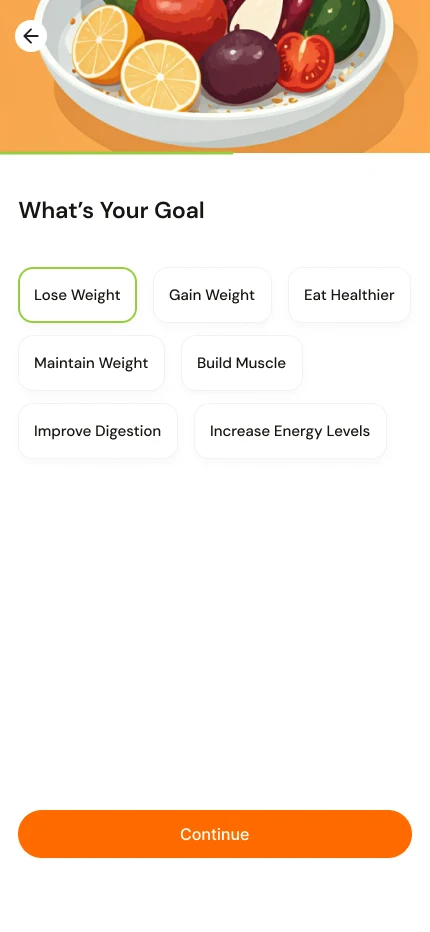
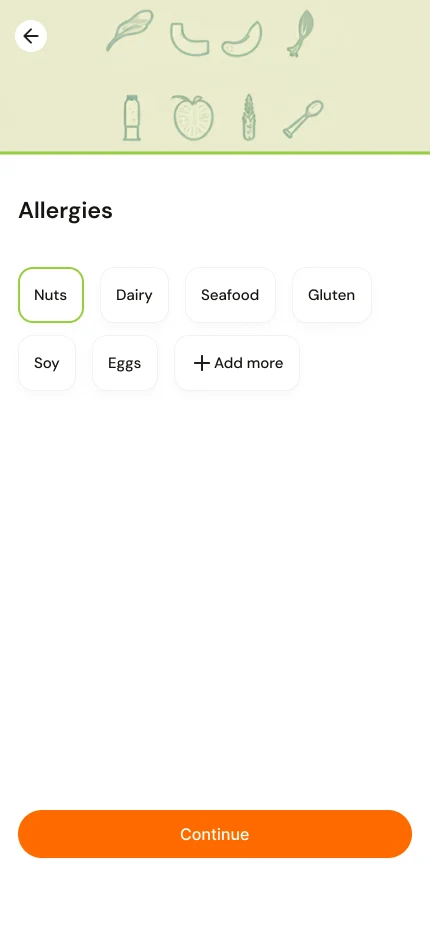
New users answer a few questions, one per screen: what their goal is (lose weight, gain weight, eat healthier, build muscle, improve digestion, increase energy) and what they're allergic to. Each answer is one tap on a large card, and a bar at the top shows progress. The answers are saved and used for every plan afterwards, so nobody has to repeat themselves.
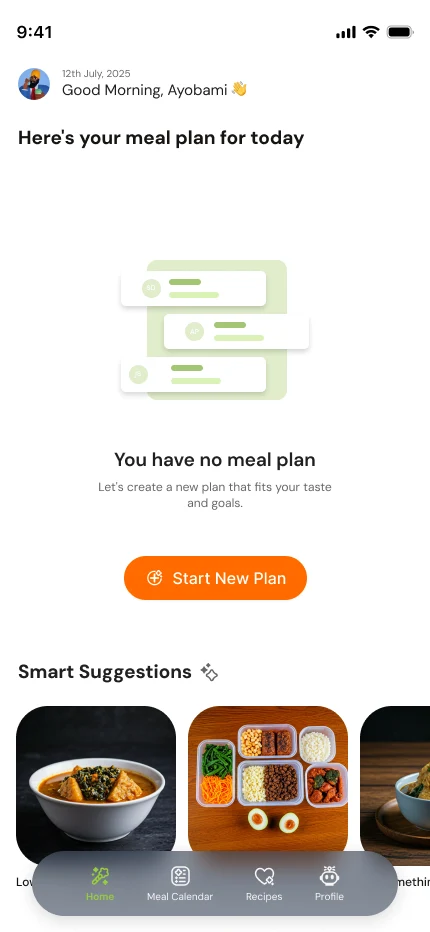
Plan by chatting, then fix what you don't like
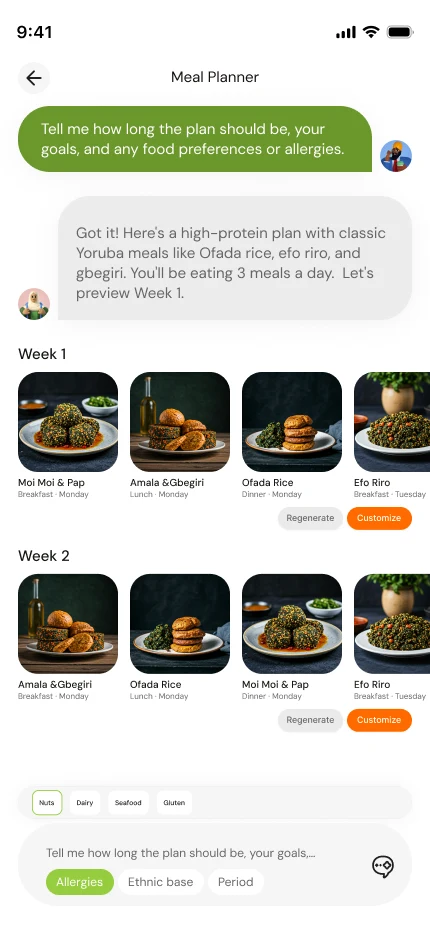
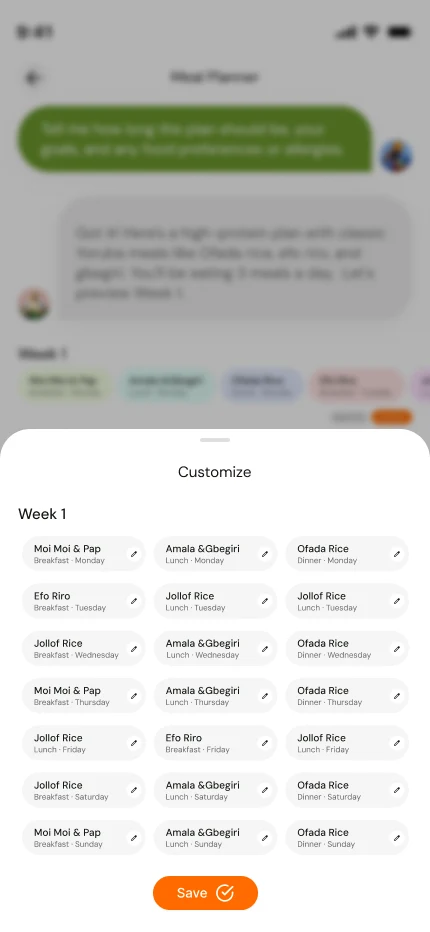
Making a plan feels like talking to a person. The planner asks about goals, allergies and how long the plan should run. Then it shows the plan week by week as cards with a photo, the meal name and the time of day. Each meal can be swapped for another with one tap, or the whole week redone. When the plan looks right, Add to Calendar saves it.
The plan uses everything the app knows: the person's goals, their allergies, foods they exclude, and, if they share a household, everyone else's allergies too. One family member's allergy never ends up in a recipe for the whole table.
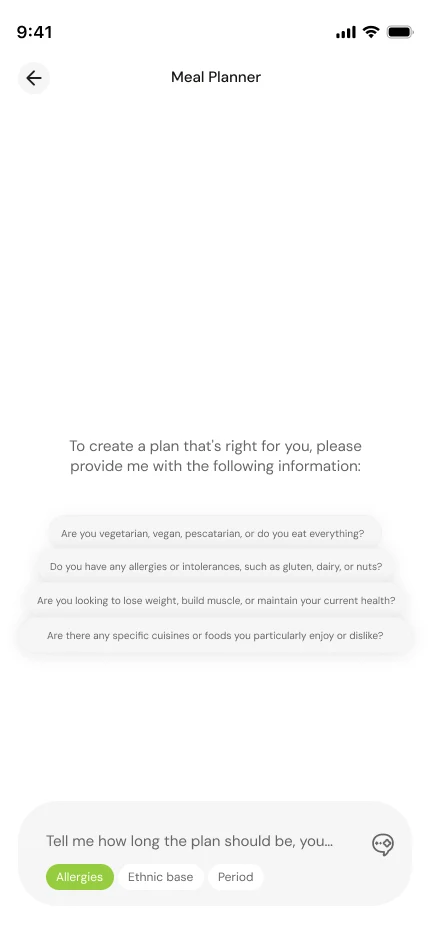
Today's meals, and the week ahead
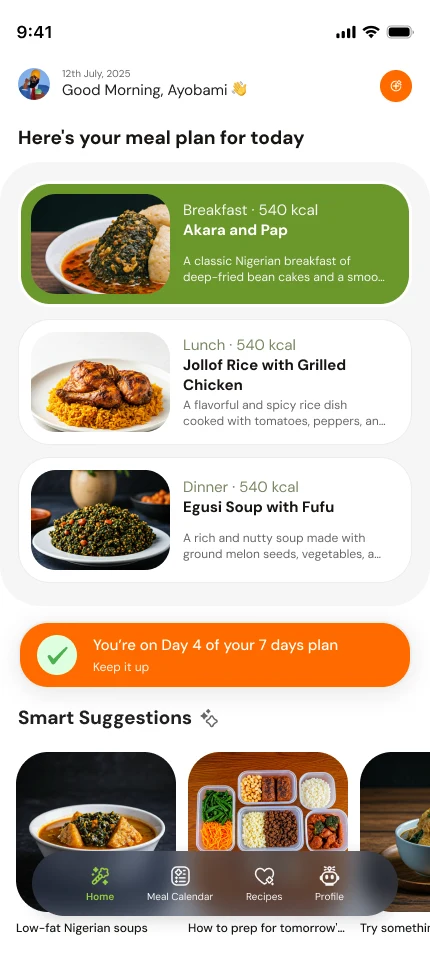
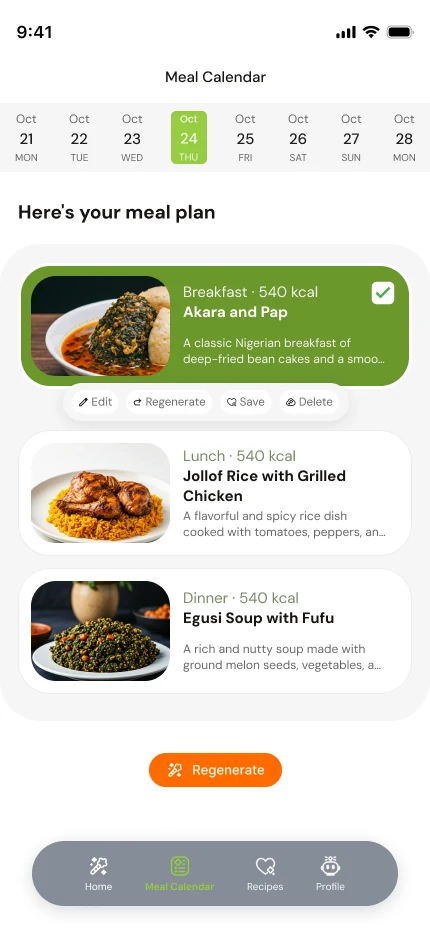
After a plan is saved, the home screen says Here's your meal plan for today: breakfast, lunch and dinner, with calories on each card and a note like "You're on Day 4 of your 7 days plan". The calendar shows the whole week, and each meal can be edited, regenerated or deleted from where it sits.
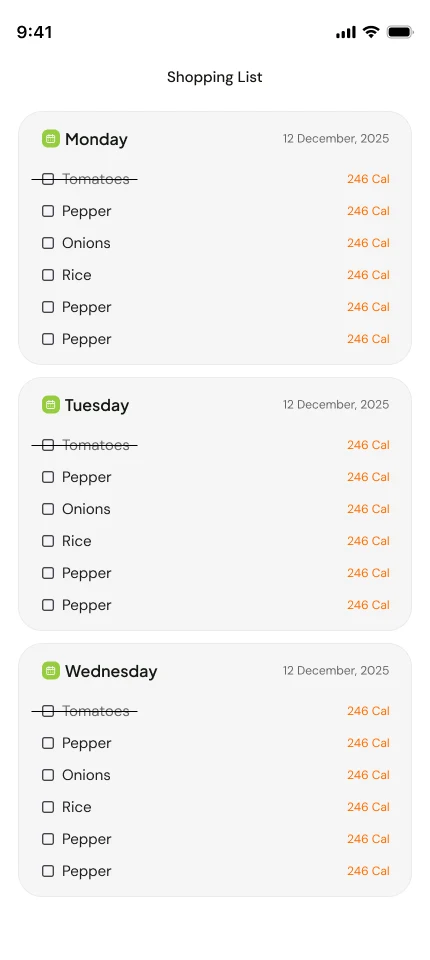
The shopping list is built from the plan. It groups ingredients by day, and a checkbox crosses each one off while the person shops.
Recipes for the food people actually cook
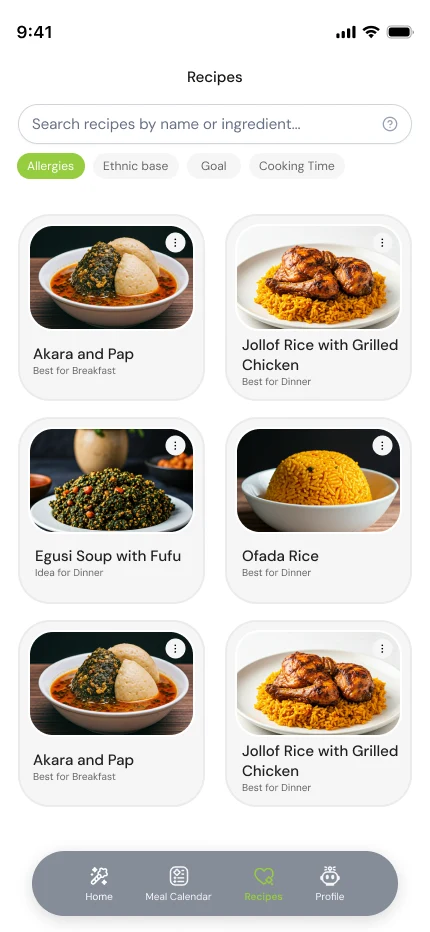
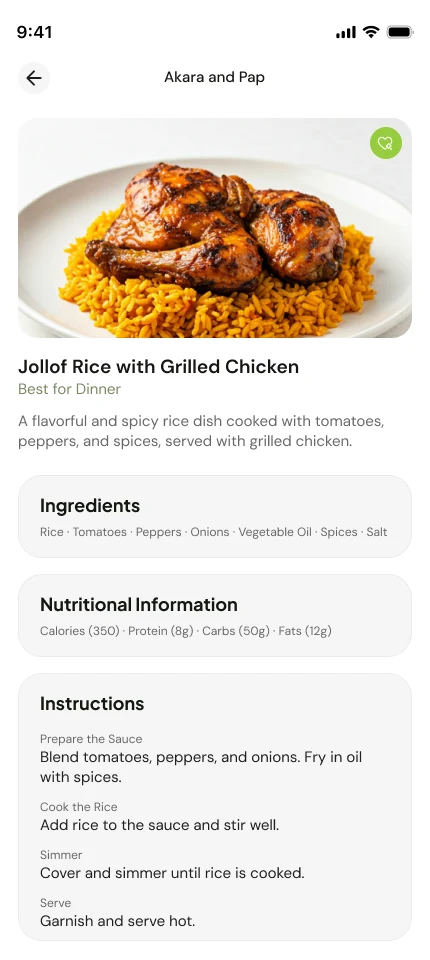
A recipe library lets people search by name or ingredient and filter by allergies, ethnic group, goal or cooking time. A recipe page has a photo, a short description, the ingredients, the nutrition (calories, protein, carbs, fat) and step-by-step instructions. The app can also suggest a recipe from the ingredients someone already has at home.
Free to try, paid to keep going
A new user gets one free plan, up to one week, within a one-week trial. After that, longer plans and more of them need a subscription, paid through Paystack. When a payment goes through, the server checks it and then unlocks the account, so the app can't unlock itself.
under the hood
- The app is built with Flutter, so one codebase runs on Android and iPhone. It supports Google and Apple sign-in, push notifications and reminders.
- The server runs on Firebase: sign-in, a database for plans and recipes, and cloud functions for everything sensitive.
- The AI runs on the server, never in the app. The app asks the server for a plan, a recipe or a chat reply, and the server calls the AI model with the person's goals, allergies and household. The key stays on the server.
- Payments are started and checked on the server. A webhook from Paystack confirms the payment, and only then is the subscription turned on and a confirmation email sent.
- Households. A person can invite family into a household. Allergies and excluded foods from every member are combined whenever a plan is made.
- Scheduled jobs prepare daily meal suggestions, clean up old ones and send a weekly summary email.
outcome
Nmeal is live on Google Play, with a free trial and a paid plan.
lessons
Let the person correct the plan. The first plan is rarely perfect, so swapping a single meal is the feature people reach for most. Making that one tap mattered more than making the first plan flawless.
Keep the AI's inputs honest. Telling the model about allergies and excluded foods every time, from one place, meant plans stayed safe even as the screens around it changed.