problem
Buying medicine is a lot of steps. You ring or visit several pharmacies to find one that has it. You send a photo of your prescription over chat and wait for someone to check it. Then you pay and hope it arrives.
Pharmacies have the opposite problem. Their stock is on shelves and in spreadsheets, and checking a prescription takes a pharmacist's time.
NemyGold puts both sides in one place. Customers use a mobile app to find medicine, upload a prescription, ask a pharmacist, pay and follow their delivery. Verified pharmacies manage their stock and orders on a website.
my role
I designed and built NemyGold: the mobile app, the public website, and the admin and pharmacy dashboards.
what I did
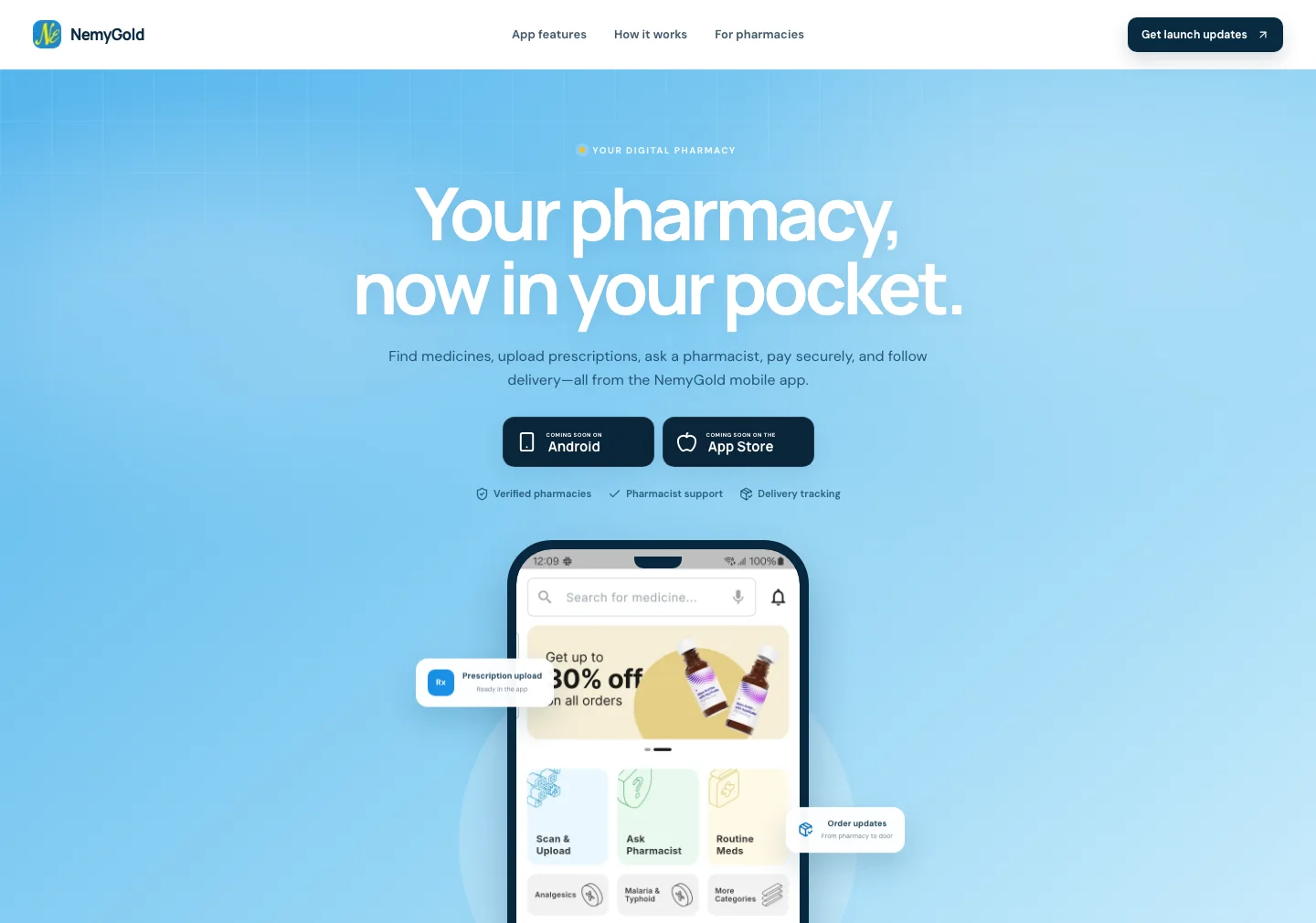
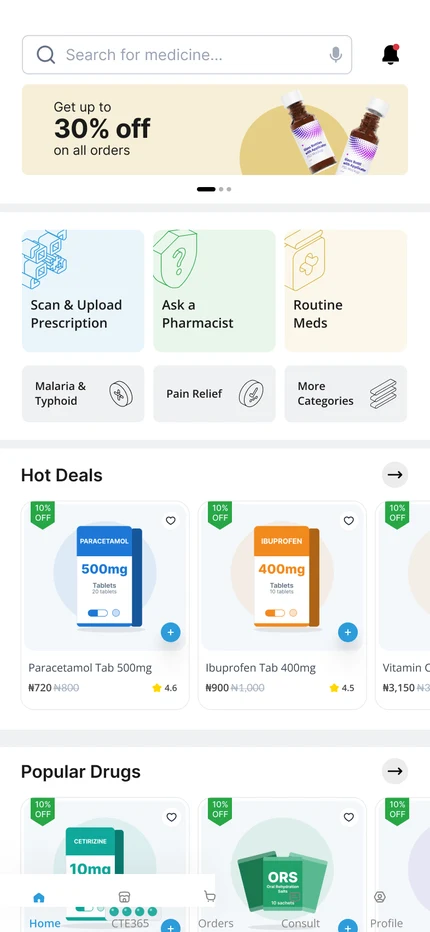
A home screen built around what people came to do
The app opens on a search bar. Below it are the three things people do most: Scan & Upload a prescription, Ask Pharmacist, and reorder Routine Meds. Categories sit underneath, so someone who doesn't know a drug's name can still browse by need, such as pain relief or malaria and typhoid.
Look first, then decide
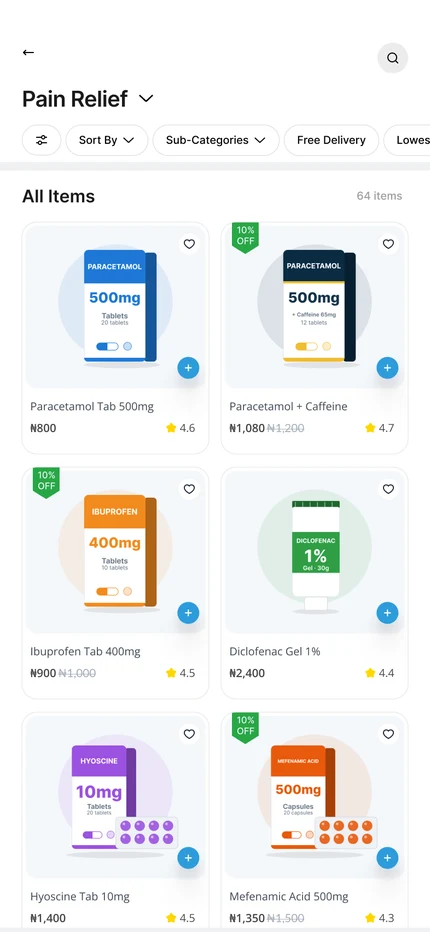
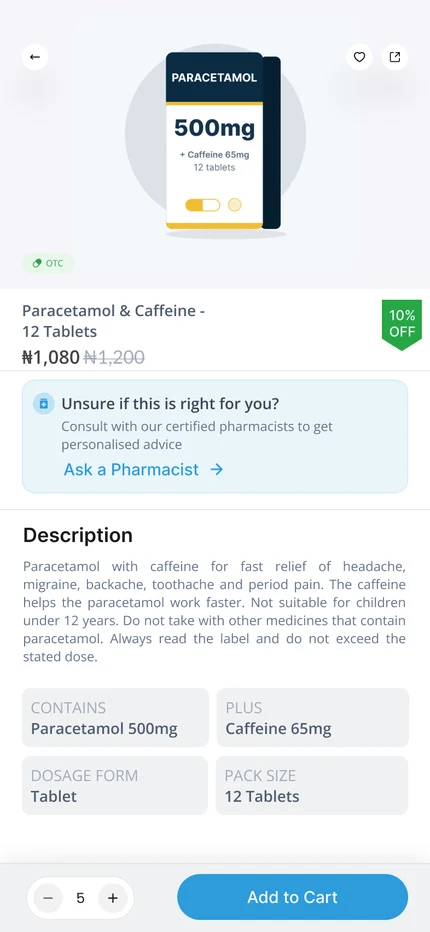
Each medicine shows its price and whether it is in stock. The detail page gives the information a customer needs before they add it to the cart.
Not every medicine is sold the same way
Every medicine in the catalogue has one of three types. The type decides what a customer has to do before they can buy it.
- Over the counter: anyone can buy it. No prescription is needed.
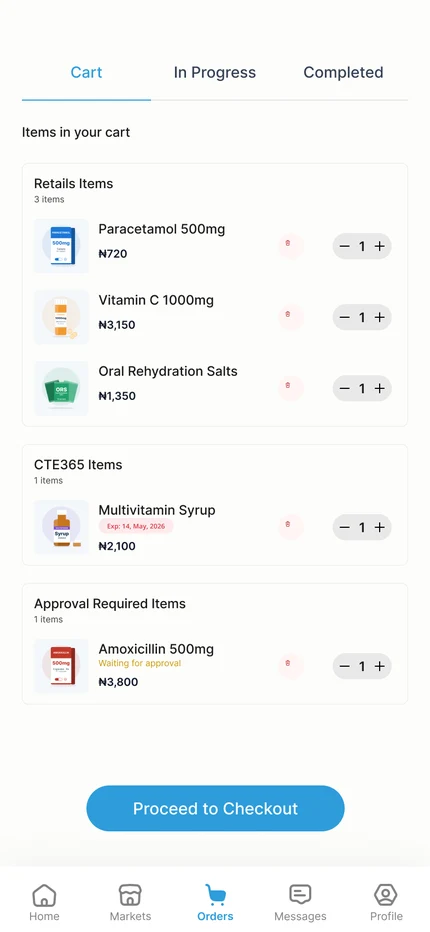
- Prescription only: the customer must upload a prescription first. A reviewer checks it before the order can go ahead.
- Controlled drugs: strong medicines, such as morphine, tramadol and diazepam. They follow the prescription-only rules, and every approval is also written to a record that includes the dispensing pharmacy's registration number.
These rules are enforced on our server, not just on the phone, so they can't be skipped by editing the app. An approval also covers only the amount the reviewer saw. Someone can't get one box approved and then order fifty.
Prescriptions without the back-and-forth
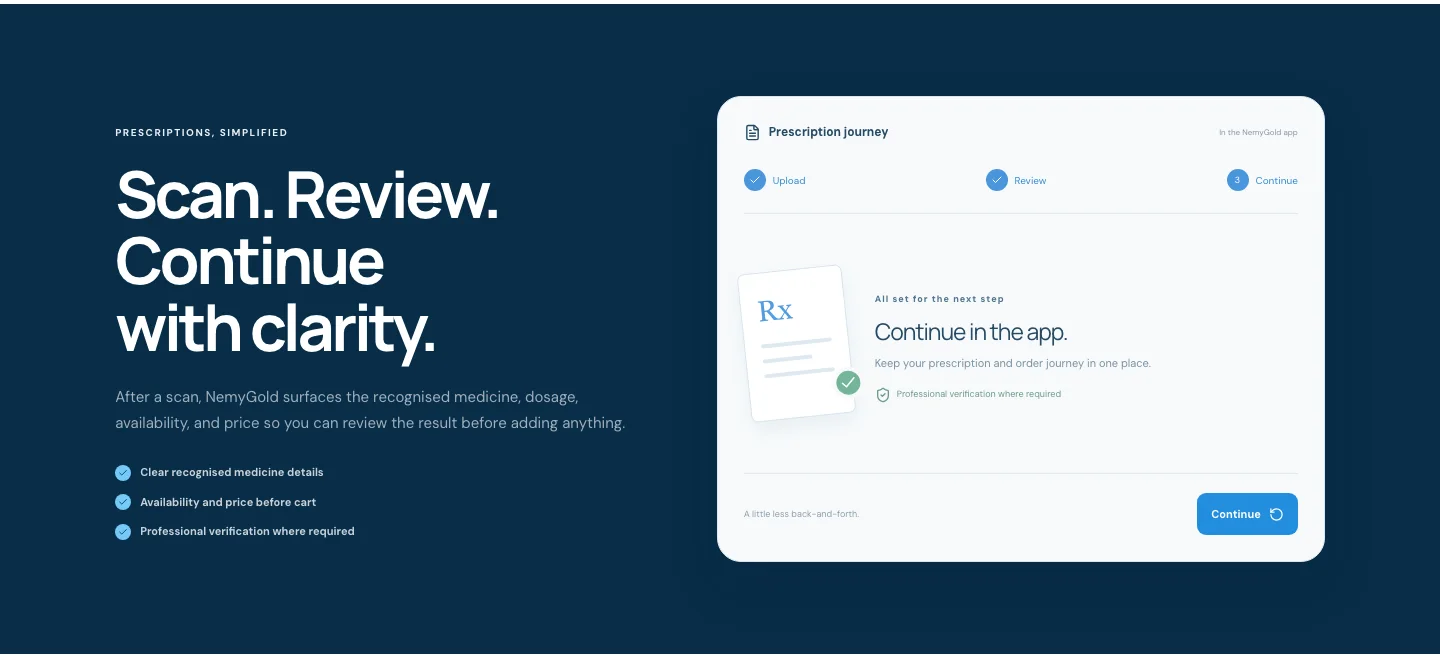
The customer takes a photo of their prescription. The app reads it and lists each medicine with its dosage and how many are needed. For example, "2 tablets a day for 5 days" becomes 10 tablets. It also picks out the clinic and the doctor's name and registration number.
Each medicine is then matched to what pharmacies have in stock, even if the handwriting is messy or the name is shortened. The customer checks the result before anything goes in the cart. Every match shows its dosage, price and expiry date, and medicines that need approval are marked Requires Approval.
If the same prescription has been used for an order before, the app tells the customer and treats it as a refill. The customer is told when a reviewer approves or rejects a prescription, in the app and by email. If it is rejected or flagged, the order is cancelled.
Pay, then follow it to your door
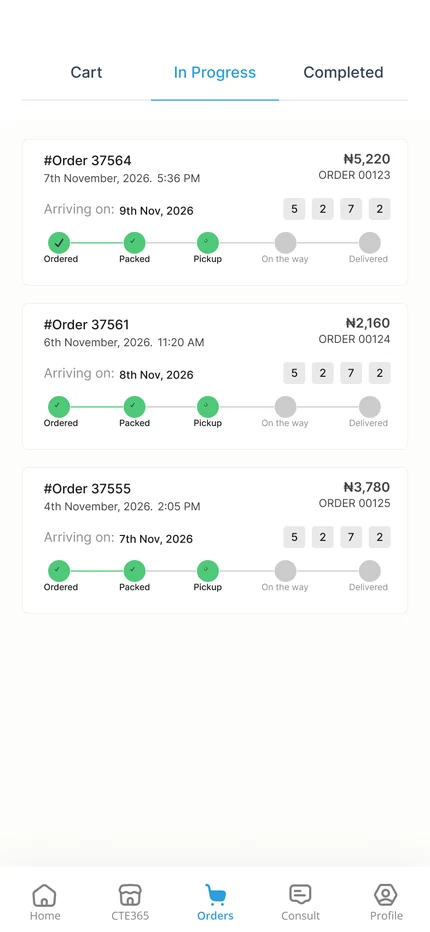
The cart shows what the customer will pay before they commit. After payment, the pharmacy confirms the order and a rider collects it. The customer follows its progress in the Orders tab. At the door, the rider needs a PIN that only the customer has, so an order can't be marked as delivered by mistake.
under the hood
- The app is built with Flutter, so one codebase runs on Android and iPhone. It uses Google Maps for delivery, Firebase for notifications, and live updates for chat and order status.
- The website and dashboards are built with Next.js. The public site collects launch sign-ups. Separate admin and pharmacy dashboards handle pharmacy onboarding, stock, orders and prescription review.
- The server is built with NestJS and a PostgreSQL database. It holds the rules above.
- Pharmacies are checked before they sell. A pharmacy goes from incomplete, to waiting for verification, to active. Customers only see active pharmacies.
- Prices are set on the server, not the phone. Payment goes through Bach, Paystack or Monnify, is verified, and only then is the order created and the stock set aside.
- Reading prescriptions uses Google's Gemini AI to turn the photo into a list of medicines. The server only loads images from safe public addresses.
- Security work: sign-ins can be revoked, one-time codes expire, payment sessions can only be used once, and out-of-date libraries were updated. The server has 17 passing test suites (21 tests) and the website builds all 41 of its pages.
outcome
The website is live at nemygold.com and collecting launch sign-ups. The app is built and shown as "coming soon" on Google Play and the App Store.
lessons
Design the waiting and the "no". A lot of a pharmacy app is states like "waiting for a pharmacist", "out of stock" and "needs a prescription". Saying these plainly matters more than a polished screen.
Keep the rules on the server. Prices, stock and prescription checks live there, so the app only has to show what the server has already decided. That made the screens simpler to design.