problem
Keeping a building running is a lot of small jobs that tend to live in different places. A tap leaks, and the report comes by phone call. The repair is noted in a chat. The part is bought on a separate sheet. Nobody can say how many jobs are late, which equipment keeps breaking, or what maintenance costs.
Virtuo Facility is one place for all of it. Organisations that manage properties use it to log requests, plan and track repairs, keep records of every asset, order parts and see how the operation is doing.
my role
I designed and built Virtuo Facility at De-Virtuosphere: the web app, the mobile app and the server behind them.
what I did
An overview that shows what needs attention
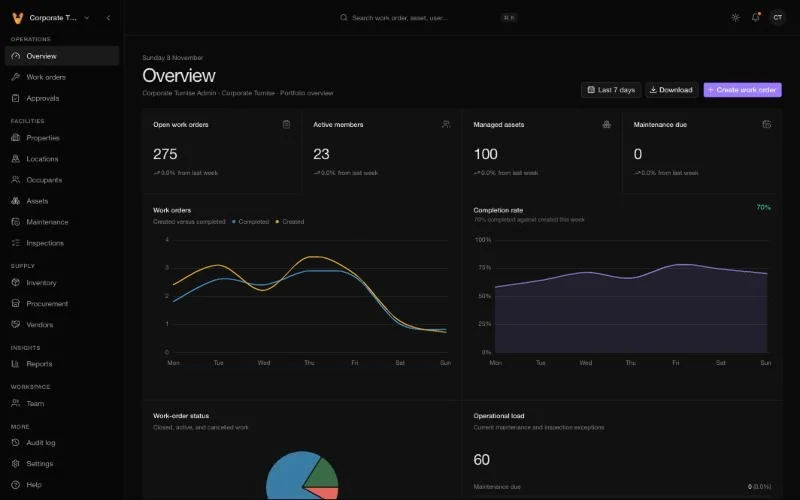
The overview opens with the numbers a manager checks first: open work orders, active team members, managed assets and maintenance that is due. Below them, a chart shows work created against work completed across the week, and a completion rate shows whether the team is keeping up. The idea is to show problems early, not to report on them afterwards.
Work orders you can see move
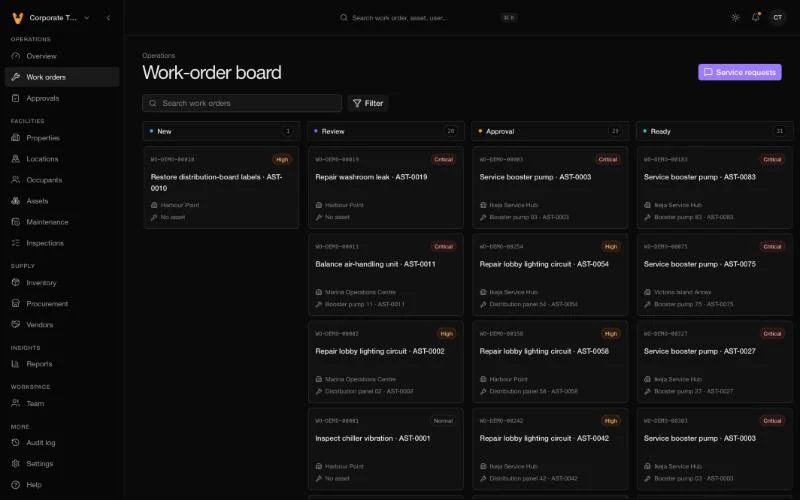
A work order is a job: what is broken, where, how urgent, and who is fixing it. The work-order board lays jobs out in columns, from New through Review and Approval to Ready, so a manager sees where everything stands without opening each one. Each card shows the job, the property, the asset, and a priority tag. Clicking a card gives a quick summary and a button to open the full job.
Moving a job from one stage to the next is controlled. A job that needs a manager's sign-off, for example a large repair, can't skip the approval step.
Approvals that don't get lost
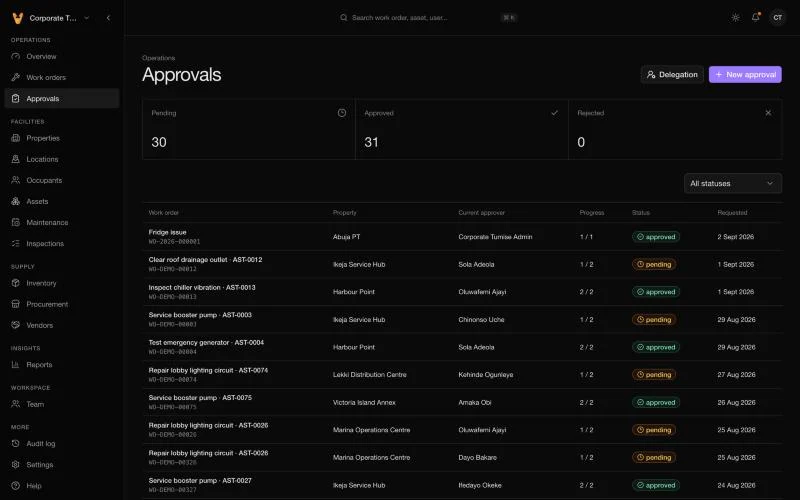
Big jobs need someone's sign-off. The approvals page lists every request with the work order, the property, who the current approver is, how far through the steps it is (for example 1 of 2), its status and when it was requested. Three counts at the top show what is pending, approved and rejected, so a manager can see the queue at a glance. A Delegation button lets an approver hand their decisions to a colleague while they are away.
Every asset has a record
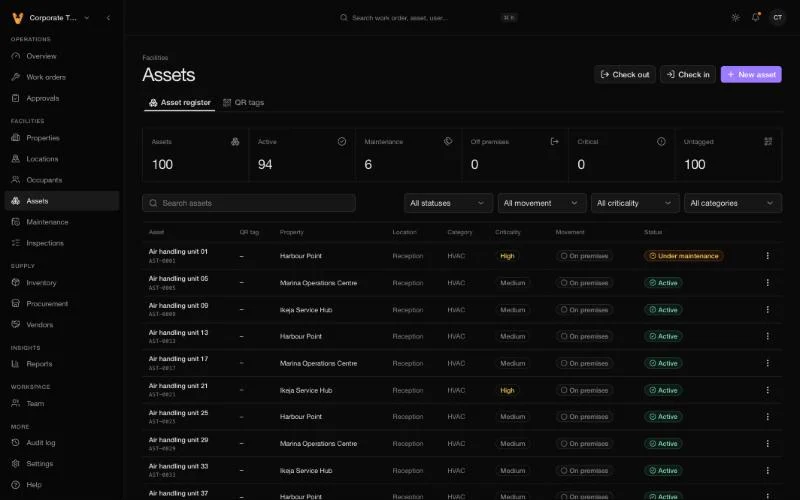
The assets page is a register of everything that needs looking after: air handling units, pumps, generators and so on. Each row shows the property, location, category, how critical it is, and whether it is active, in maintenance or off the premises. Assets can carry a QR tag, so a technician scans it on site and gets the history, and can check an item out or in.
Maintenance that plans itself
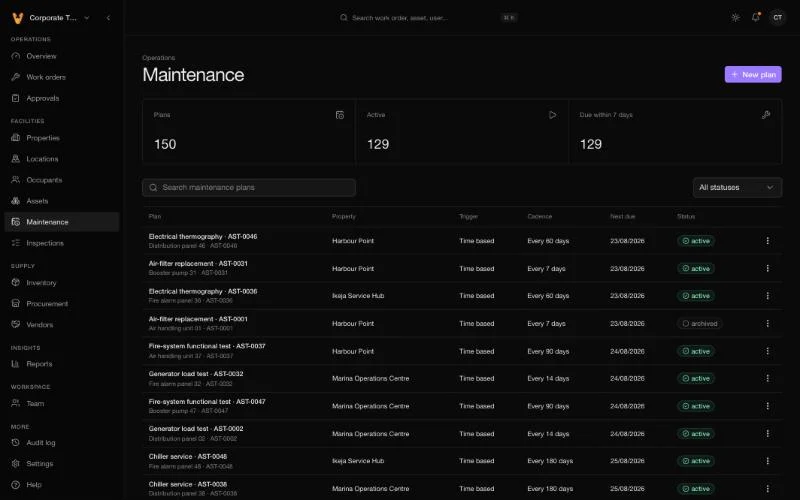
The best repair is the one that never becomes an emergency. Maintenance plans create jobs on a schedule, for example a check every 7 days or a service every 90 days, and each plan shows when it is next due. Plans link to the asset and property, so the work lands with the right team.
Inspections and stock
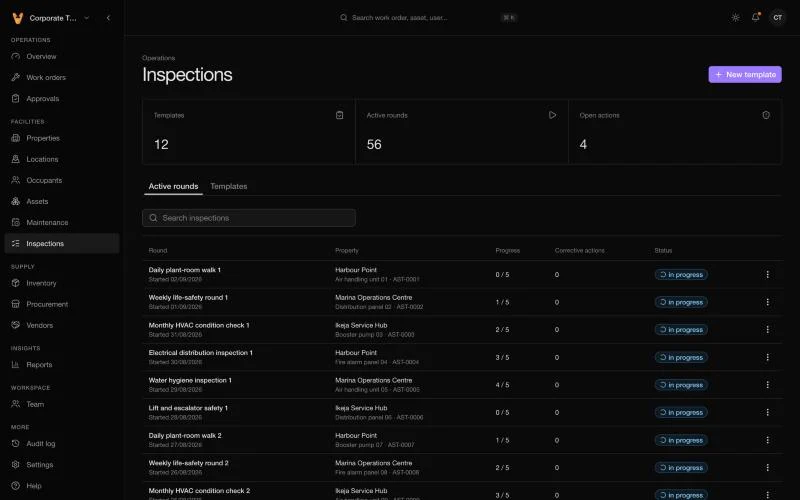
Routine checks are planned the same way. The inspections page shows how many templates there are, how many rounds are under way, and how many corrective actions are open. Each round names its property and asset and shows its progress through the checklist, so a missed round is easy to spot.
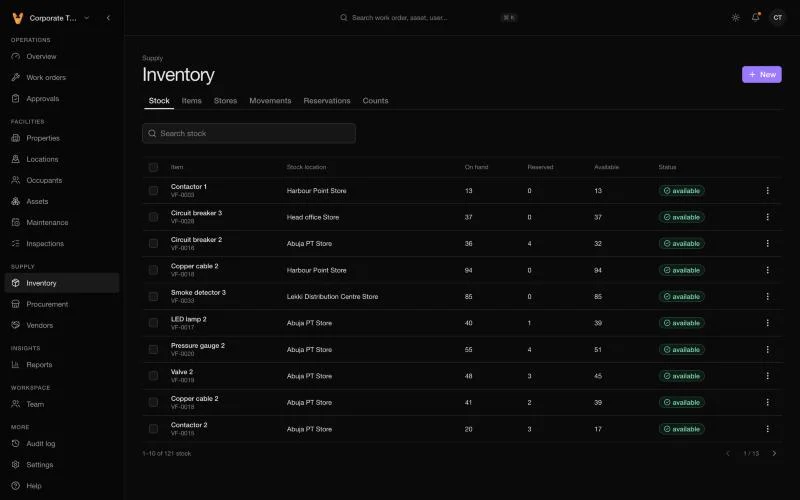
Parts live in the inventory. The stock list shows each item, the store it is in, and how many are on hand, reserved for jobs and still available. Tabs for items, stores, movements, reservations and counts cover the rest of the work of keeping a store accurate.
The rest of the operation
The same system also covers suppliers, purchase requests and orders, reports, and a record of who did what. Each team member sees only what their role allows. Residents and tenants can report a problem with a photo from a separate portal and follow its progress, and staff can answer them publicly or leave private notes.
under the hood
- The web app is built with Next.js, with charts, tables and a command search for finding any record quickly.
- The server is built with NestJS and a PostgreSQL database. It is the single source of truth: no app writes to the database directly.
- Many organisations, one system. Each organisation's data is kept separate, with its own team, roles and plan.
- Photos are stored privately, checked for size and type, and re-encoded before anyone can view them.
- The mobile app is built with Expo and React Native, so one codebase runs on Android and iPhone. It follows the web design, shows each person only what they can do, and lets residents and staff handle requests from their phones.
- Safe sign-in: email verification, two-step sign-in, and a list of devices that can be signed out.
outcome
The web app is live at facility.virtuoerp.com. The mobile app and the resident portal are being rolled out.
lessons
Make the right thing the easy thing. Staff won't fill in forms during an emergency, so the board, the QR tags and the schedules do the recording as a side effect of doing the work.
Control the steps that matter. Letting a job move freely between most stages but not past an approval kept the system quick and still gave managers real control.