problem
Taking notes in a lecture or a sermon means choosing between listening and writing. If you write, you miss things. If you only listen, you forget. Recording helps, but a long recording is hard to search or revise from, and most note apps are built for typing, not for people who learn by listening.
Lectivo turns a recording into notes you can study. You press record, and it gives you a written transcript, a short set of notes, and flashcards to test yourself.
my role
I designed and built Lectivo: the Flutter mobile app, the website and the server behind them.
what I did
Start in one tap, and keep your notes in order
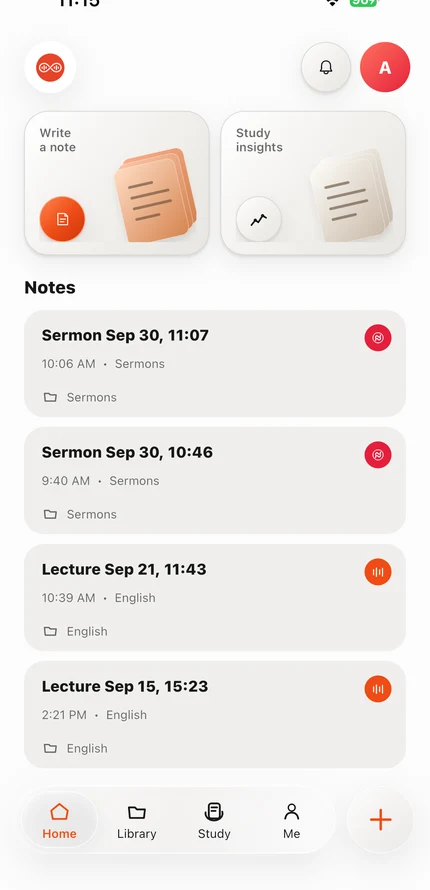
The home screen is built around the two things people do most: Write a note and Study insights. Below them, recent notes are listed with their type and course, so a lecture and a sermon are easy to tell apart. A large + button is always within reach to start a new recording.
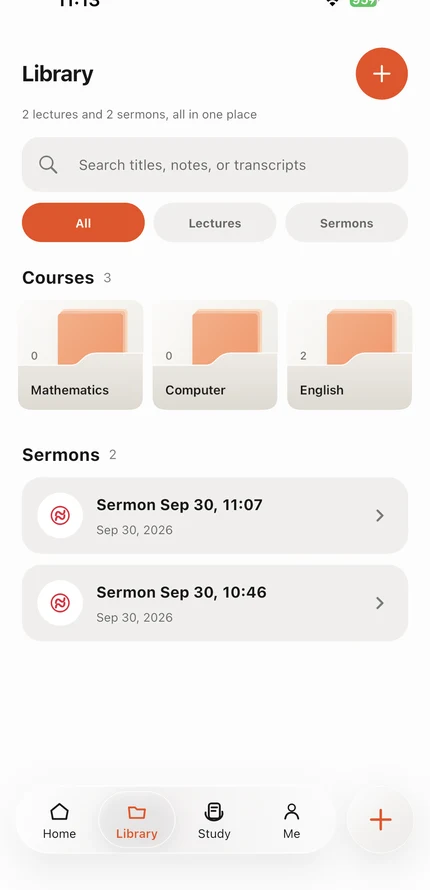
The library keeps everything in its place. Notes are grouped into courses such as Mathematics or English, with sermons kept in their own list, and a search box looks through titles, notes and transcripts.
Pick where it belongs, then record
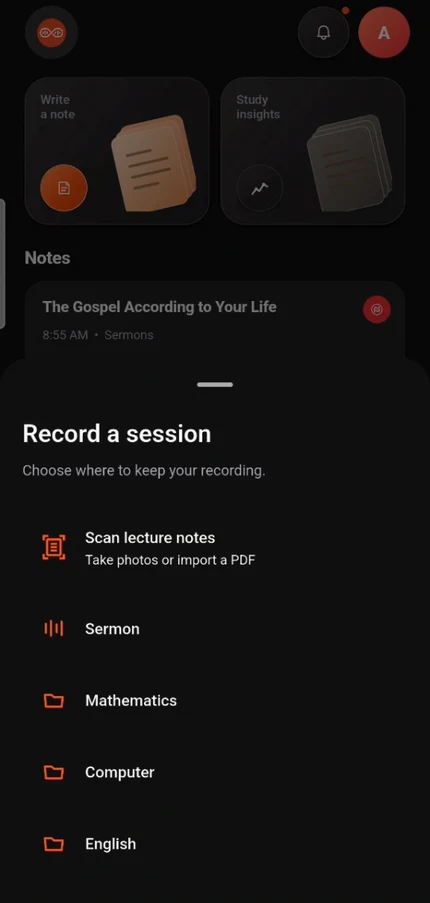
Tapping + opens a short sheet that asks one question: where should this recording live? The choices are the person's own folders, such as Sermon, Mathematics, Computer or English. There is also Scan lecture notes, for taking photos or importing a PDF instead of recording. Choosing a folder starts a large Tap to record button, and one tap begins.
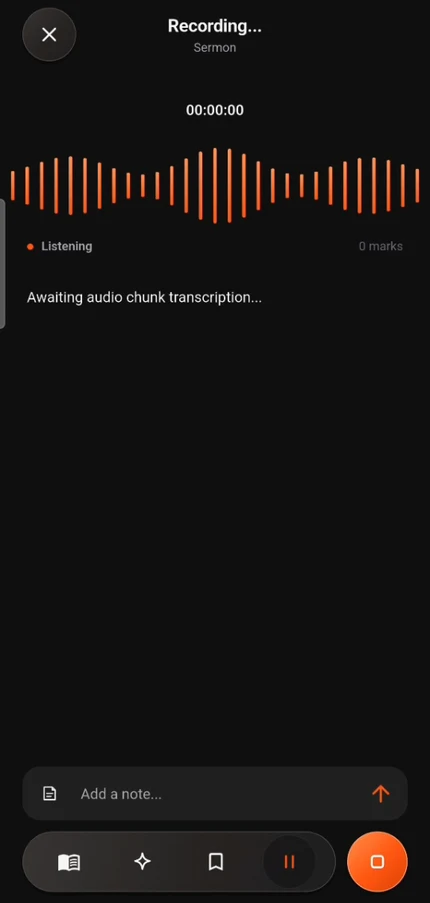
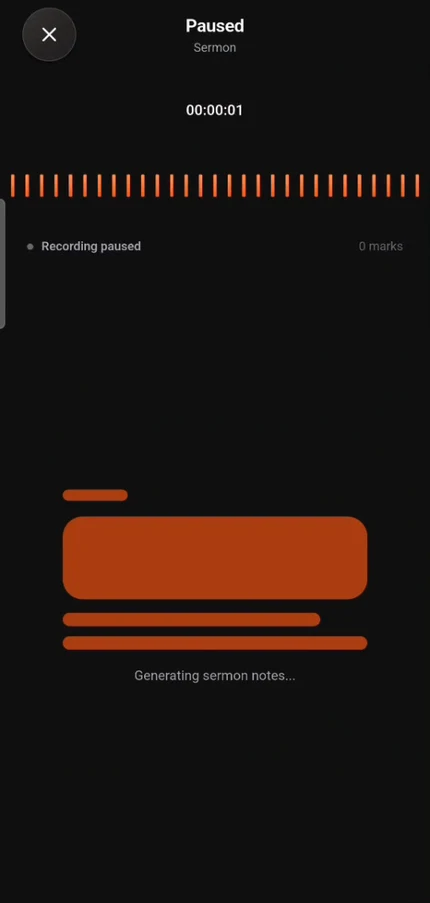
While recording, Lectivo shows a live waveform and a timer, with a status line that says it is listening. A box at the bottom lets someone type a quick note while the speaker talks, and a bookmark button marks an important moment. When the recording stops, a screen says the notes are being generated, and a short form lets the person name the recording and, for a sermon, add the preacher's name. The same screen tells them the recording is stored safely on their phone.
Record without worrying about the phone
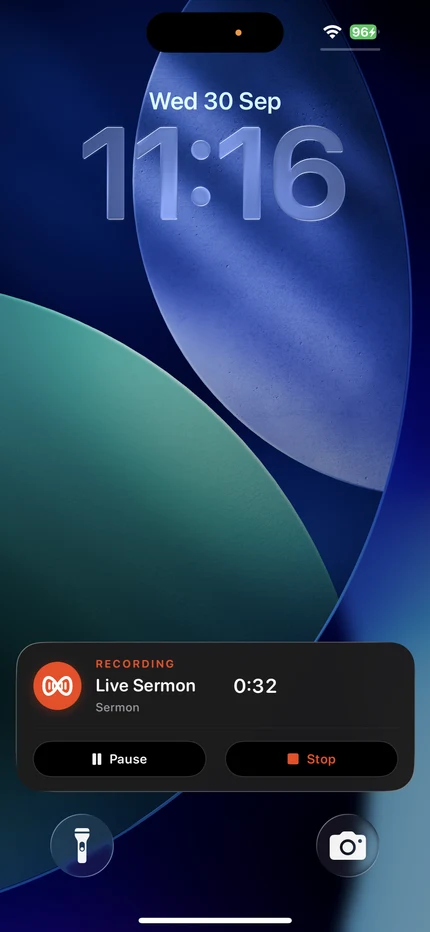
Recording has to be dependable, because a lecture only happens once. If the phone is locked, recording carries on, and the lock screen shows a card with Pause and Stop so it is always clear that the recording is alive.
Notes you can trust
The biggest risk with AI notes is that they say things the speaker never said. So Lectivo is strict. The transcript is the only source. The note may only include names, numbers, dates and quotes that appear in it, and it must keep the speaker's tone, so "you are" never becomes "you will be".
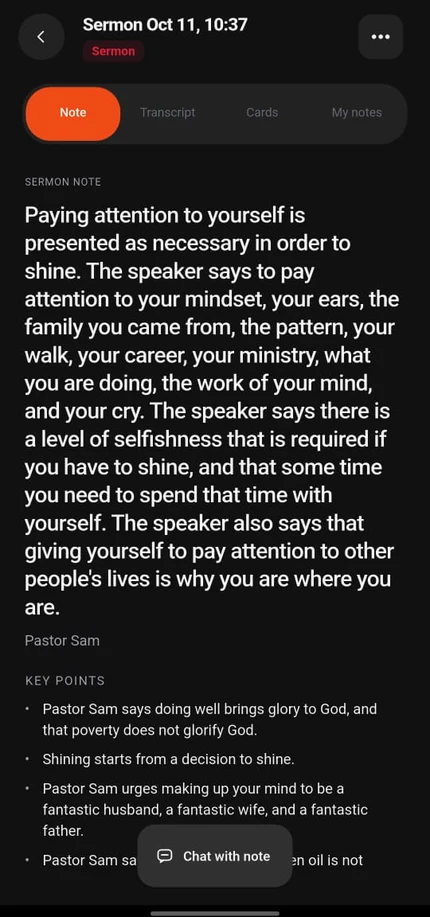
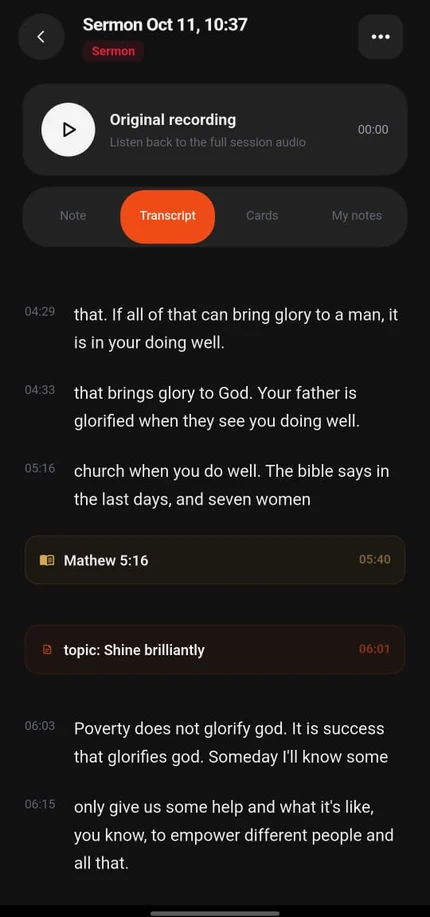
Every recording opens as one page with four tabs: Note, Transcript, Cards and My notes, and the original audio sits at the top to play back. The note has a short summary and key points. The transcript is timestamped, and the bookmarks and topic markers someone added during the recording show up in the right place, such as a scripture reference at the moment it was mentioned.
Every note is checked against the transcript before it is saved. If a claim can't be supported, the app doesn't show the AI's version. It shows the passages from the transcript instead, with a plain message that a summarised note could not be verified. A garbled or unclear passage is left out rather than guessed.
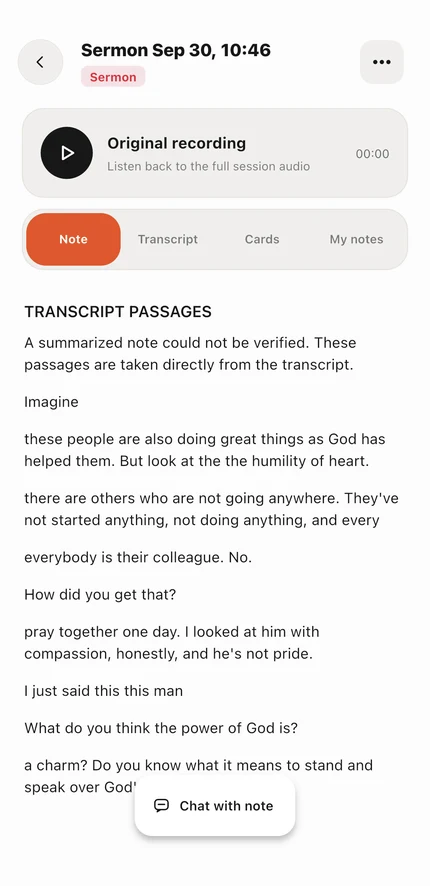
Ask the note
Each note has a Chat with note button. It opens a chat where someone can ask questions, and the answers stay grounded in that note. Ask what the teaching is about and it summarises it. Ask for something the note doesn't say, like the preacher's full name, and it says so and points back to the original recording instead of guessing. A note also lists the scripture references it mentions.
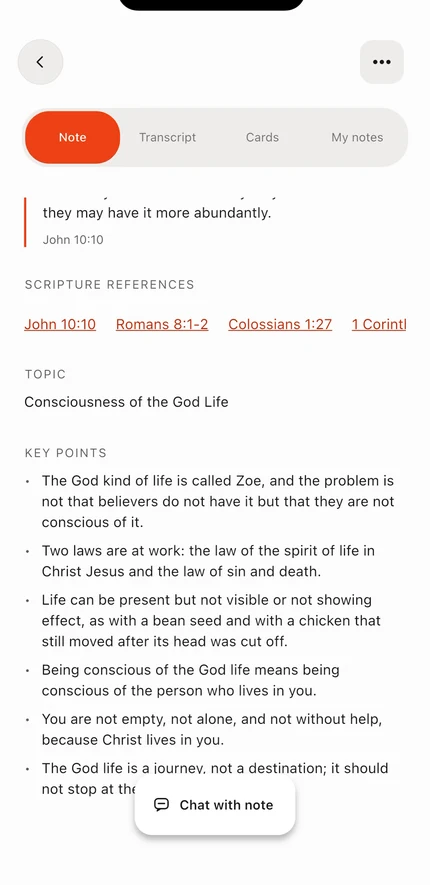
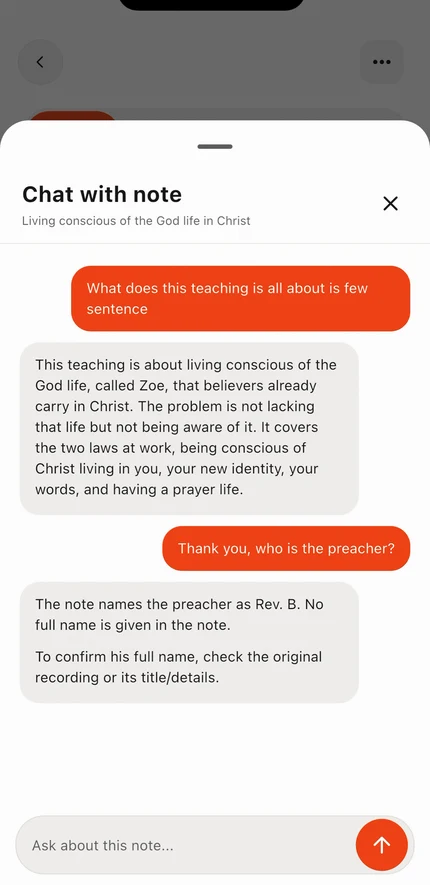
Study, don't just store
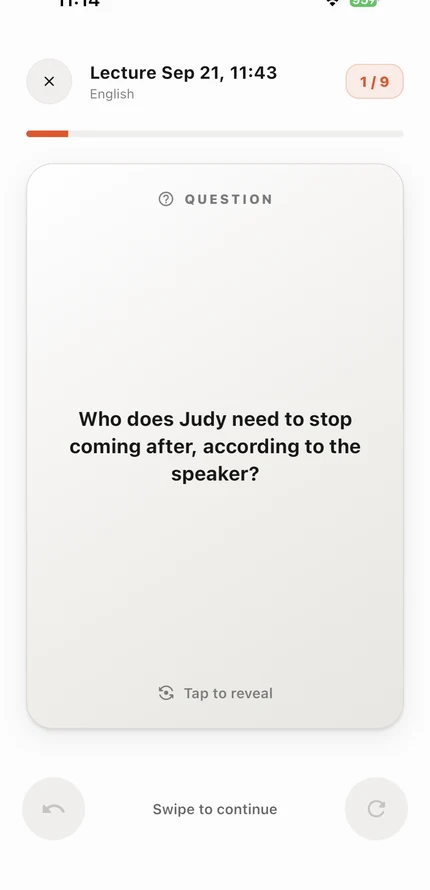
Each recording can become a set of flashcards. The Study tab lists the sets, with how many cards each has and a button to start a review. A card shows a question taken from the lecture, and a tap reveals the answer. Swiping moves to the next card, and a bar at the top shows how far through the set you are. A separate Study insights screen shows your stats.
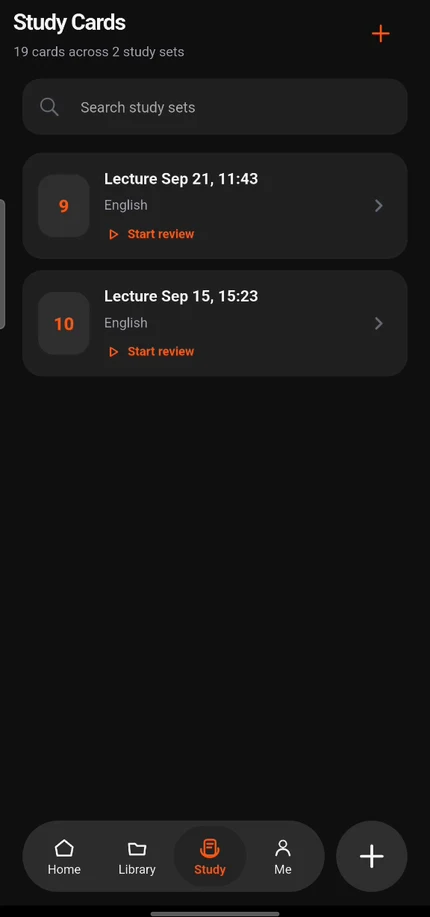
Your own words too
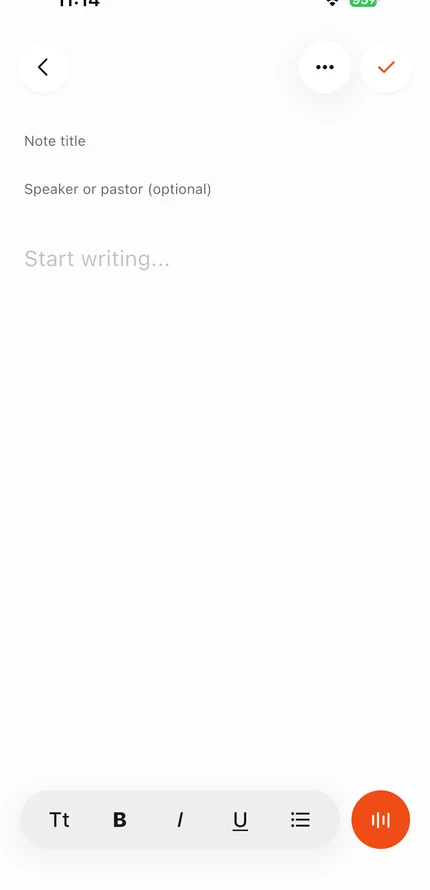
Not everything starts as a recording. The note editor has a title, a speaker or pastor field, formatting tools and a record button, so someone can type a note, add a recording to it, or do both. Notes can also be made from pages you import, such as a PDF or photos of a textbook, up to 20 pages at a time.
Free to try
Everyone can make three recordings for free. After that, Premium gives unlimited recordings for NGN 900 a month, or $2.99 a month outside Nigeria. The free-plan count is shown on the subscription screen, so nobody is surprised.
under the hood
- The app is built with Flutter, so one codebase runs on Android and iPhone. It records audio, keeps recording with the screen locked, and sends push notifications.
- The server is built with Node and Fastify. It turns the audio into a transcript, asks an AI model for the note, and checks that note against the transcript.
- Two checks, not one. An independent checker scores each note, and a second check reads the whole transcript when it is very long. Anything unsure falls back to the transcript.
- Payments are handled through Paystack, with Polar for people outside Nigeria.
- The website is built with Next.js, and the store artwork was made in the same style as the app: ivory, charcoal and orange.
outcome
Lectivo is live on Google Play, with a free plan and a Premium plan. The website is at lecsync-seven.vercel.app.
lessons
When AI writes the notes, trust is the whole product. Showing the transcript when the note can't be proven did more for confidence than a more polished summary would.
Make the risky moment safe. People only get one chance to record a lecture, so the effort went into keeping a recording alive with the screen off, not into extra features.