problem
Saving together is an old habit in Nigeria. Friends, family and colleagues pay into a pot each month, and each person takes the whole amount in turn. It works because people trust each other, but it runs on notebooks, chats and reminders. Someone forgets to pay, nobody is sure whose turn it is, and the person holding the money carries all the pressure.
Circlify moves that habit into an app. People join or create a savings group, called a Circle, contributions are automatic, and everyone can see the record. They can also save alone toward a goal in a Vault.
my role
I designed the Circlify mobile app: the onboarding, the Circles, the Vaults, the wallet and the account.
what I did
A promise on the first screen
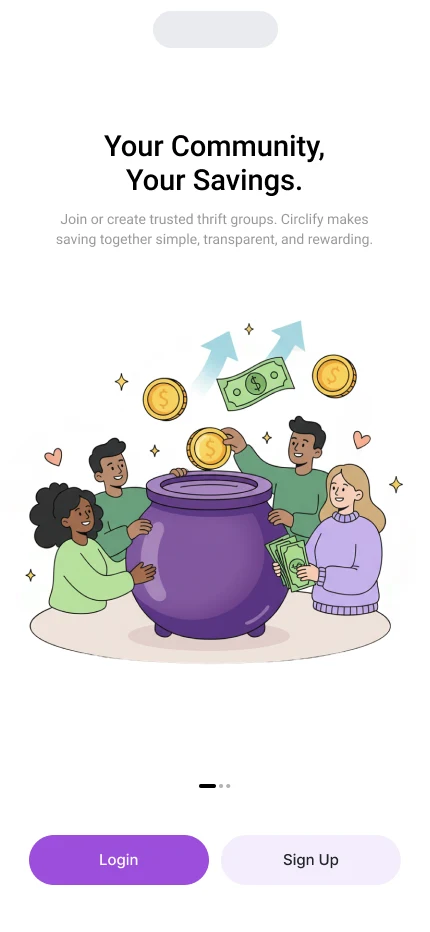
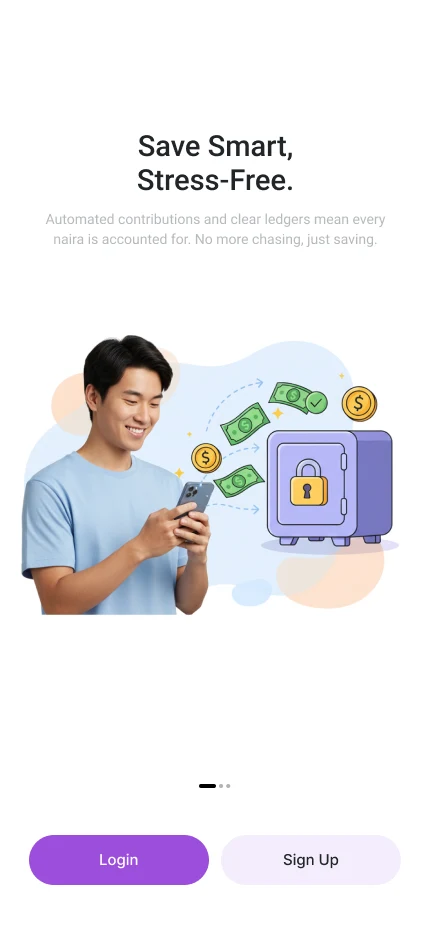
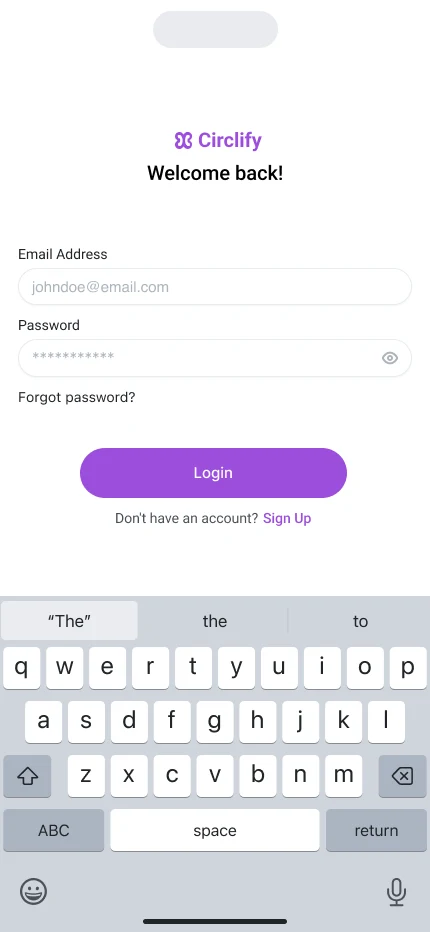
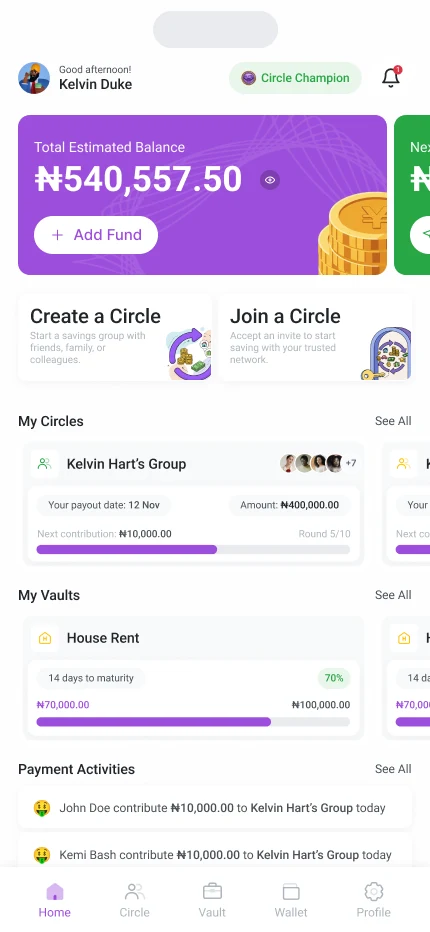
The first three screens each make one promise: Your Community, Your Savings, Save Smart, Stress-Free, and Goals Within Reach. Illustrations keep it warm, and Login and Sign Up are always within reach. After signing in, the home screen shows the balance, a prompt to verify the account, quick buttons to create or join a Circle, the person's circles and vaults, and recent payments.
Creating a Circle in three steps
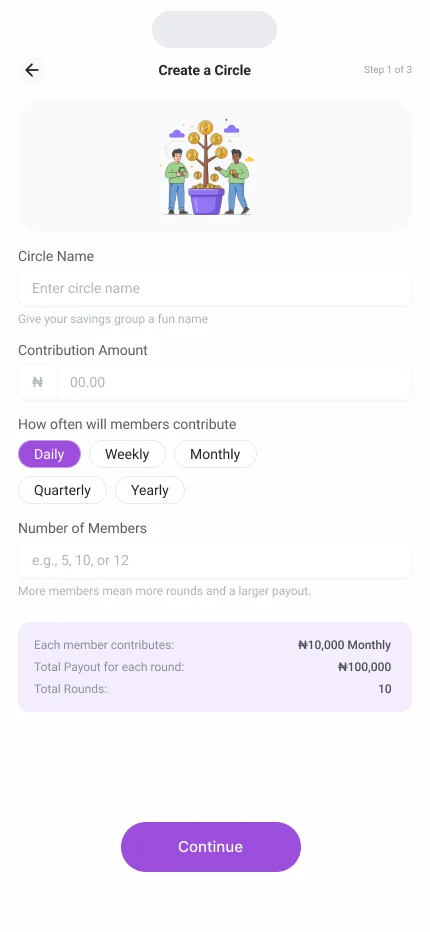
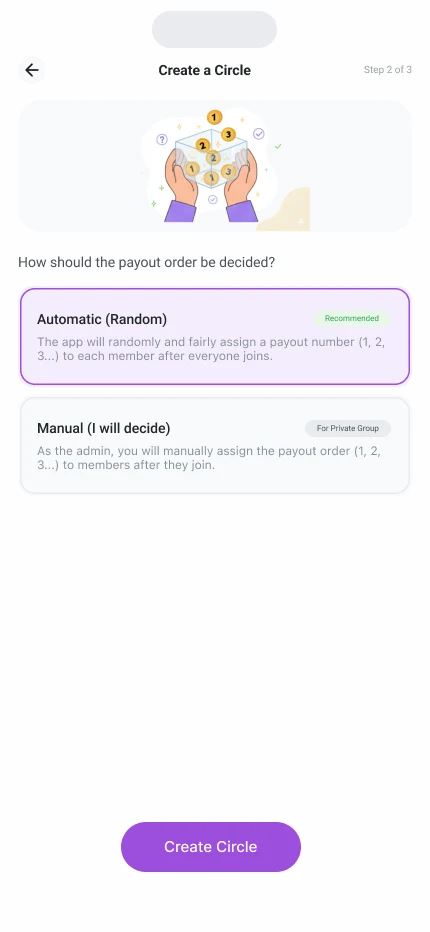
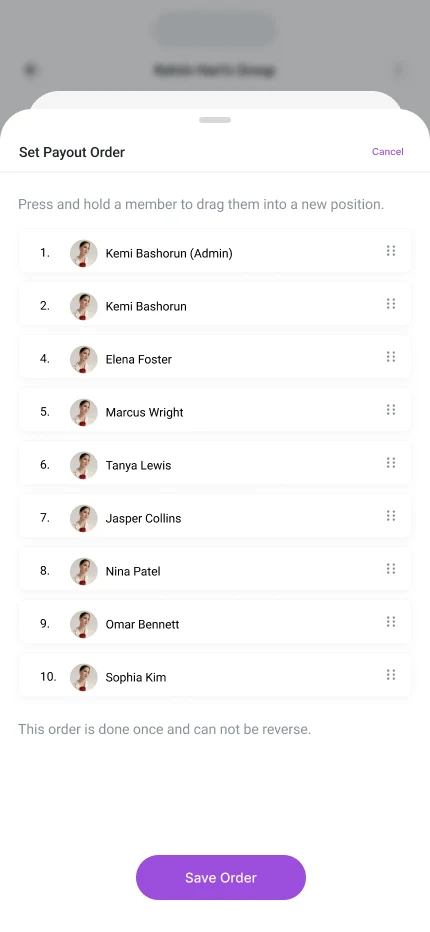
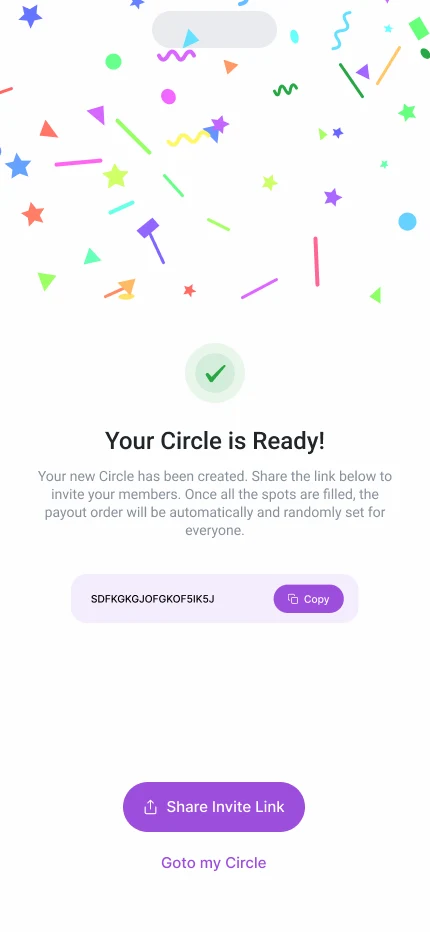
Starting a Circle takes three steps. First, a name, the contribution, how often members pay (daily, weekly, monthly, quarterly or yearly) and how many members. A summary below shows what each member pays, the total payout for each round and the number of rounds, so the organiser sees the whole commitment before going on. Second, the payout order: Automatic, which assigns turns at random, or Manual, where the organiser drags members into place. The screen warns that the order is set once and can't be reversed. Third, the Circle is ready, with an invite link to share.
Joining with the rules in plain sight
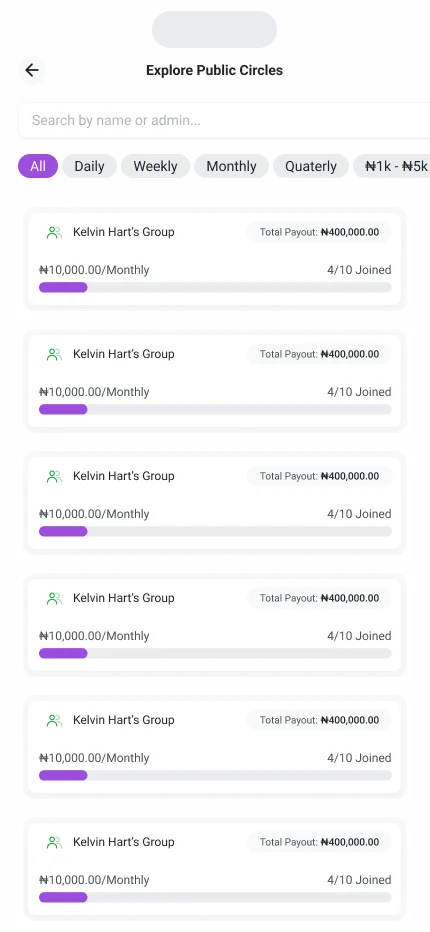
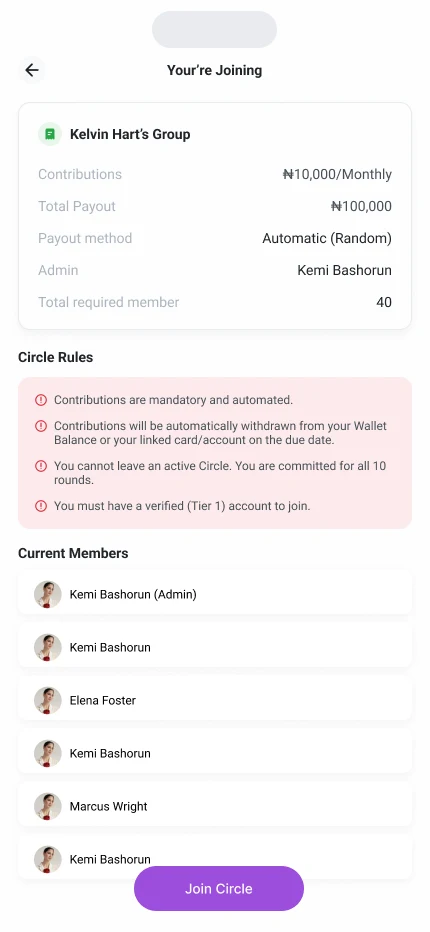
People can join with an invite code from a friend, or explore public Circles filtered by how often they pay. Before joining, they see the contribution, the total payout, how the payout order works, who runs the Circle and who is already in it. The Circle's rules are written in plain words: contributions are mandatory and automatic, they come from the wallet or a linked card on the due date, a member can't leave an active Circle, and a verified account is needed to join. Nobody agrees to money rules they haven't read.


A Circle you can follow at a glance
Inside a Circle, one card gives the payout date, the amount, this round's contribution and which round it is, with a progress bar and the members' faces. A Contribute Now button sits right below. Two tabs show the payout order and every payment activity, so it's easy to see who has paid and whose turn it is.
Vaults for saving alone
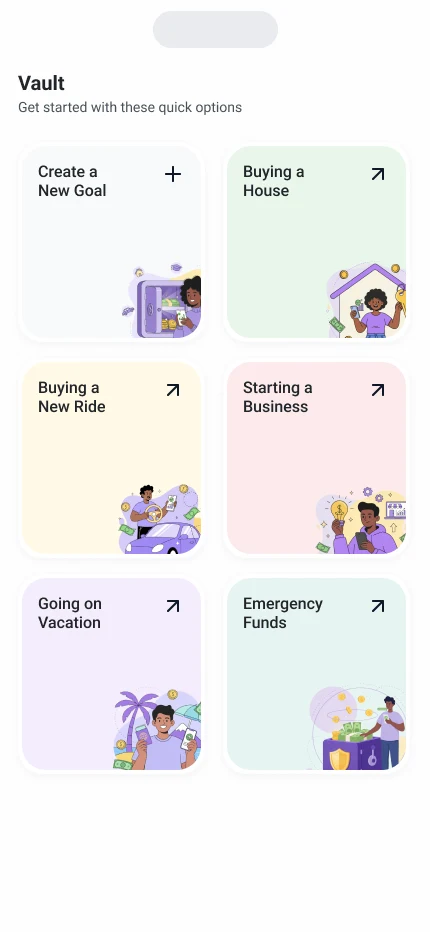
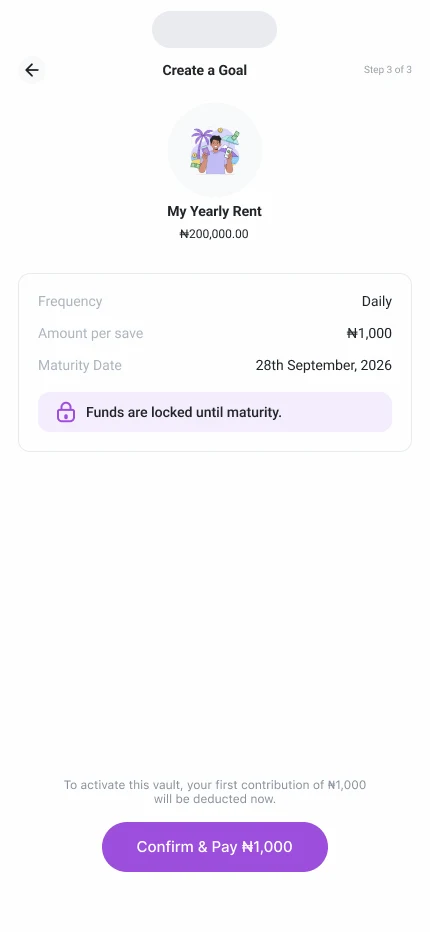
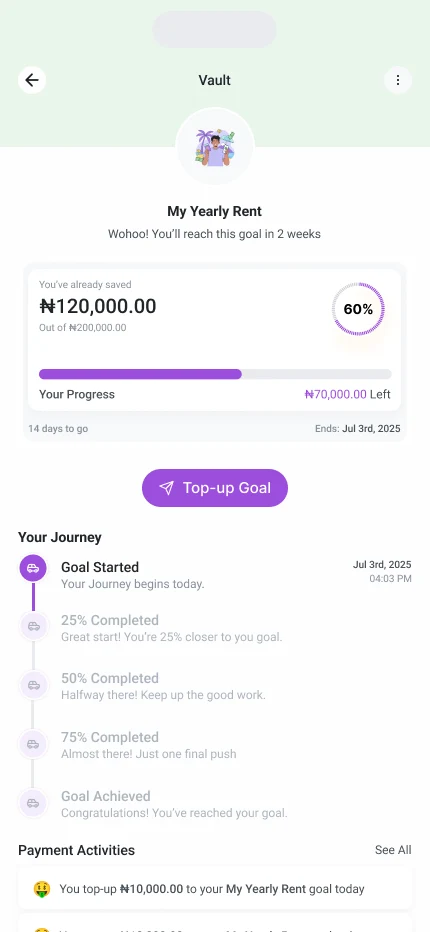
Not every goal needs a group. A Vault is a personal goal: buying a house, a new ride, starting a business, going on a vacation, or an emergency fund. Setting one up takes a name, an amount, a date and how often to save, with a line that funds are locked until the goal matures. A vault page shows progress as a ring, a top-up button, and a journey of milestones at 25, 50 and 75 percent, so waiting feels like moving forward.

One wallet, one account
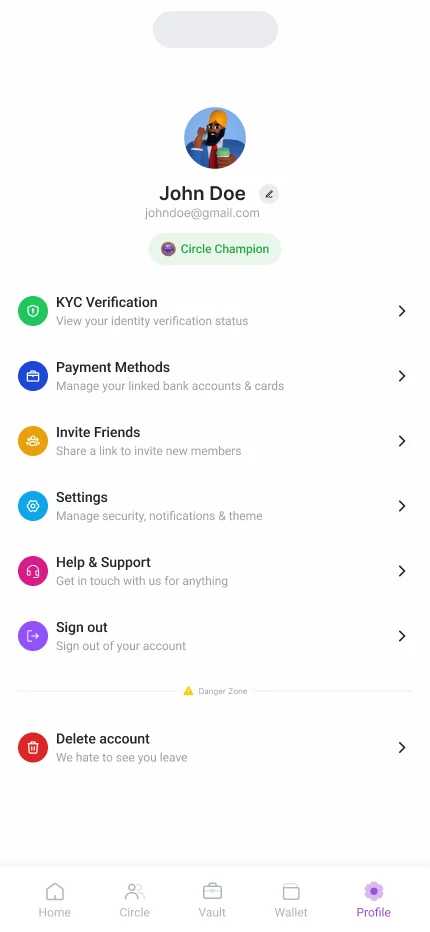
The wallet shows the balance with Add Funds, Send and Withdraw, and a list of everything that moved: funds added, contributions, withdrawals, money sent and money saved to a vault. The profile holds identity verification, payment methods, inviting friends, settings and help.

outcome
This was a design project. The mobile designs are complete.
lessons
Show the rules before the commitment. When people put money into a group, the amount, the number of rounds and the payout order should be clear before anyone joins.
Make waiting feel like progress. Savings take months, so the app shows milestones, a progress ring and what is locked until the goal matures.